
Define the operational mission before selecting displays
A network operations centre may monitor IT services, physical infrastructure, security events, customer networks, facilities alarms or several of these domains at once. The AV brief must identify which information sources are operationally important, who owns them and what an operator must be able to see during normal service, degradation and a major incident.
Interview the people who run the room. Map routine monitoring, shift handovers, escalation calls, incident command and visitor briefings. Record which dashboards remain visible continuously, which sources are called up only during an event and which data must never appear on a shared wall. This workflow becomes the basis for display zoning, source permissions, control layouts and acceptance tests.
For organisations assessing new capacity around Johor, our analysis of Johor Bahru data-centre integration opportunities explains why meeting, briefing, control-room and documentation packages should be separated clearly from critical power, cooling and EPC scope.

Calculate readability from the operator position
A large canvas does not guarantee readable information. Identify the smallest text, symbols and alarm states that operators must recognise, then test them from the nearest, typical and furthest workstations. Consider pixel density, source resolution, application scaling, window size, viewing angle, ambient light and the physical seams between display modules.
Use full-size content samples during design review. A dashboard that looks clear on a laptop may become unreadable when divided into six windows. Conversely, enlarging every dashboard can hide the relationships between systems. Build a layout hierarchy: persistent health indicators, active incidents, supporting detail and collaboration content. Reserve colour for meaningful status and make sure colour is not the only alarm cue.
Operator sightlines also depend on seated eye height, desk depth, monitor arms and the first row of local displays. Check that a desk monitor or raised console does not block the bottom of the wall. For long rooms, a shallow curve or secondary confidence displays may work better than making one wall taller.

Choose a display architecture that can be maintained
Direct-view LED, narrow-bezel LCD and projection can all serve operations rooms, but the right choice depends on viewing distance, required contrast, ambient light, service access, expected duty cycle and the organisation's spare strategy. Compare complete lifecycle requirements rather than headline brightness or pixel pitch alone.
Specify physical access for module, power-supply and controller replacement. Confirm ventilation, wall loading, cable routes, isolation, clean power interfaces and safe working space with the relevant building contractors. Where a display wall is business-critical, document what happens when a panel, module, controller output or network path fails. Resilience should match the operational consequence; it should not be added as an unexplained duplicate of every component.
An experienced AV integrator in China supporting regional standards can coordinate specialist design from Shanghai with a Kuala Lumpur delivery and service model, but every Malaysia project still needs verified local access, contractor responsibilities and competent onsite execution.

Control sources securely and predictably
List every source and its owner: monitoring workstations, virtual desktops, incident-management systems, CCTV, broadcast feeds, conferencing systems and presentation laptops. For each source, define permitted destinations, classification, authentication method, resolution, audio behaviour and recovery procedure.
Keep operational switching simple. Operators should be able to recall approved layouts without exposing credentials or accidentally replacing a critical alarm view. Administrative functions, configuration tools and secure sources should require appropriate roles. If KVM, remote desktop or IP-based AV is used, involve cybersecurity and network teams early to agree segmentation, encryption, logging, multicast, bandwidth and patching responsibilities.
Avoid a control design that depends on one undocumented programmer. Save source files, exported configurations, version records and a tested restoration procedure. Provide a manual fallback for essential source selection where practical, and label physical connections so onsite teams can trace a failure without guesswork.
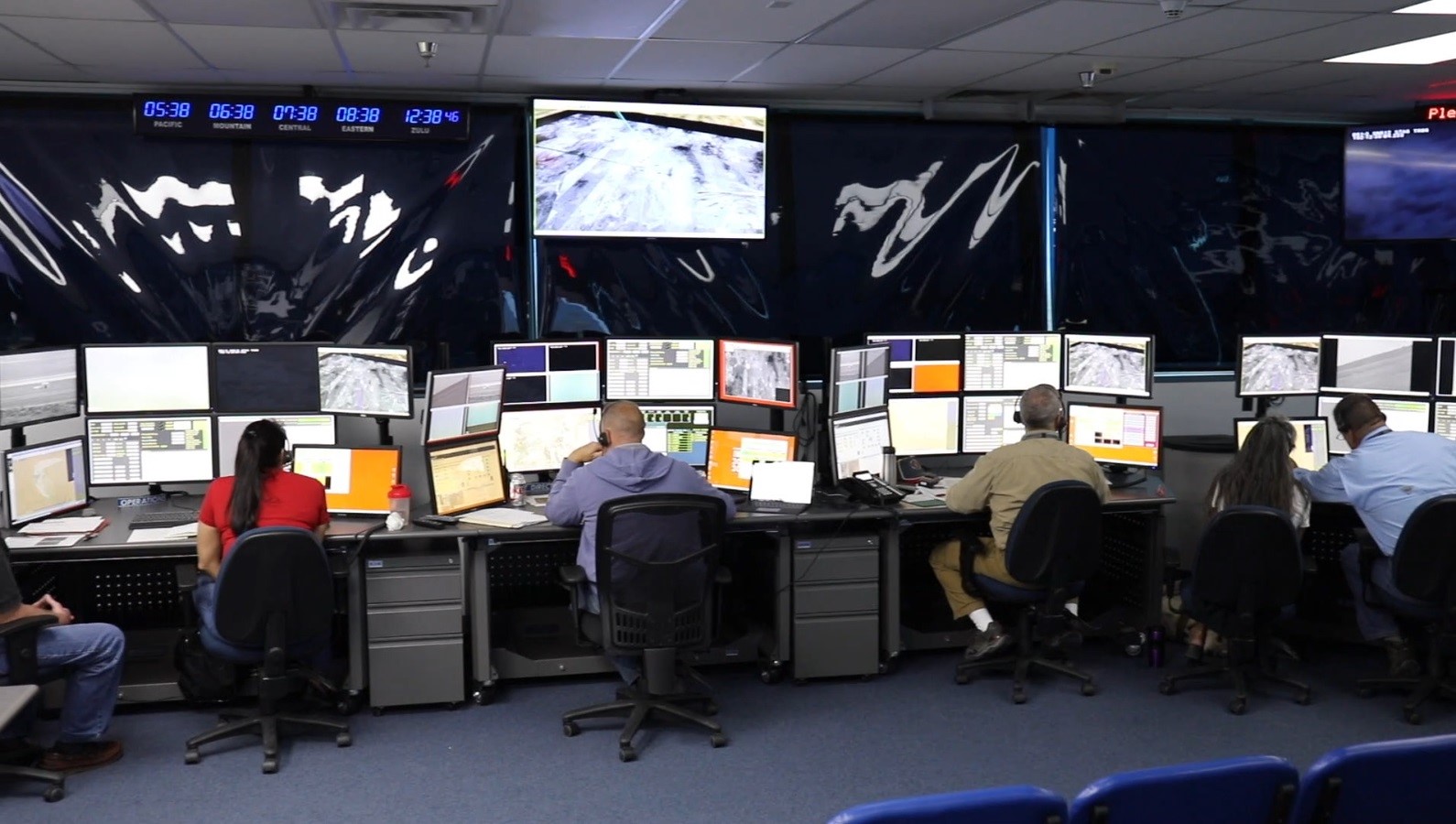
Design for 24/7 people, acoustics and collaboration
NOC performance is affected by fatigue. Select desk positions, local monitor heights and display brightness for long shifts, not a short demonstration. Control glare from luminaires and windows, avoid excessive contrast between the wall and the room, and provide lighting scenes for routine operation, cleaning and incident response.
Audio should support alerts and collaboration without creating continuous distraction. Define which alarms are audible, where they are heard and who can acknowledge them. For incident calls, coordinate microphones, loudspeakers, cameras and acoustic treatment so teams can communicate without broadcasting confidential information across the whole room.
If a briefing or incident room is adjacent to the NOC, decide whether it receives a controlled copy of operational content or operates independently. Do not assume a glass wall and one shared display will support both visitors and incident commanders. Separate workflows often need separate controls, permissions and audio zones.
Coordinate cabling, labels and contractor boundaries
Create a cable schedule that identifies every endpoint, pathway, patch location, connector, service loop and owner. Separate base-building containment, structured cabling, AV signal cabling, control networks and equipment-room wiring in the responsibility matrix. Where fibre is used, document type, termination, polarity, test method and spare cores.
Labels should match drawings, rack elevations, processor names and software configuration. A technician should be able to trace a source from the workstation through patching and processing to a display input using the same identifier at every stage. Record network switch ports, VLANs, IP addresses and approved firmware separately with controlled access.
Sinoway's guide to regional AV standards across Asia shows why drawings, substitution rules and local responsibilities should be agreed before procurement. Standardisation is valuable only when the delivered system and handover records remain aligned.
Commission scenarios, not isolated devices
Factory checks confirm equipment; site acceptance must confirm operations. Build a test script from real scenarios: start of shift, routine dashboard recall, alarm escalation, incident conference, source loss, processor restart, display fault, network interruption and restoration after power recovery. Record expected behaviour, evidence and the person who accepts each result.
Measure image alignment, colour consistency, readability, latency and audio intelligibility where relevant. Verify that layouts persist after restart, clocks and time zones are correct, user permissions work and secure sources cannot be routed to unauthorised displays. Test monitoring and alert paths so the support team receives information it can act on.
Train operators and technical teams separately. Operators need the normal workflow and simple recovery actions. Support teams need rack access, diagrams, backups, diagnostic tools, spare procedures and escalation contacts. Repeat the acceptance test after final software updates rather than assuming the initial result still stands.
Make handover the start of operations
The handover pack should contain approved drawings, rack elevations, cable schedules, asset and serial records, network requirements, configurations, software and firmware baselines, licences, warranties, test results, training records, spare lists and support contacts. Store editable source files as well as PDFs, with an agreed owner and revision process.
Define preventive checks for displays, processors, fans, filters, cabling, touch controls and room conditions. Review logs and recurring incidents, and keep a known-good configuration after approved changes. Sinoway's guide to managed AV services in Shanghai and China provides a useful readiness model: monitoring creates value only when an accountable process turns signals into verified restoration.
For Malaysia delivery, agree the realistic service model before handover: local response coverage, remote specialist support, access rules, spare locations and vendor escalation. A clear support boundary is more dependable than an ambitious promise that has not been matched to people, stock and site permissions.