
Separate the HDMI problem before changing the design
A black screen, intermittent picture or slow switching can look like one HDMI fault, but the underlying causes are different. The source may be asleep, the display may be on the wrong input, the negotiated video format may exceed a device or cable, EDID may be unavailable, HDCP authentication may fail, or the transport may have insufficient margin. Start by naming the symptom and the exact operating state in which it occurs.
Record the source model and output, content type, display input, resolution, refresh rate, colour format, HDR state, cable path, extender or matrix route, firmware and power state. Note whether the fault is constant, appears only after switching, follows protected streaming content, or occurs after sleep and wake. An AV integrator in China should treat those observations as commissioning evidence, not as a reason to replace several components at once.
Understand what EDID does in the signal chain
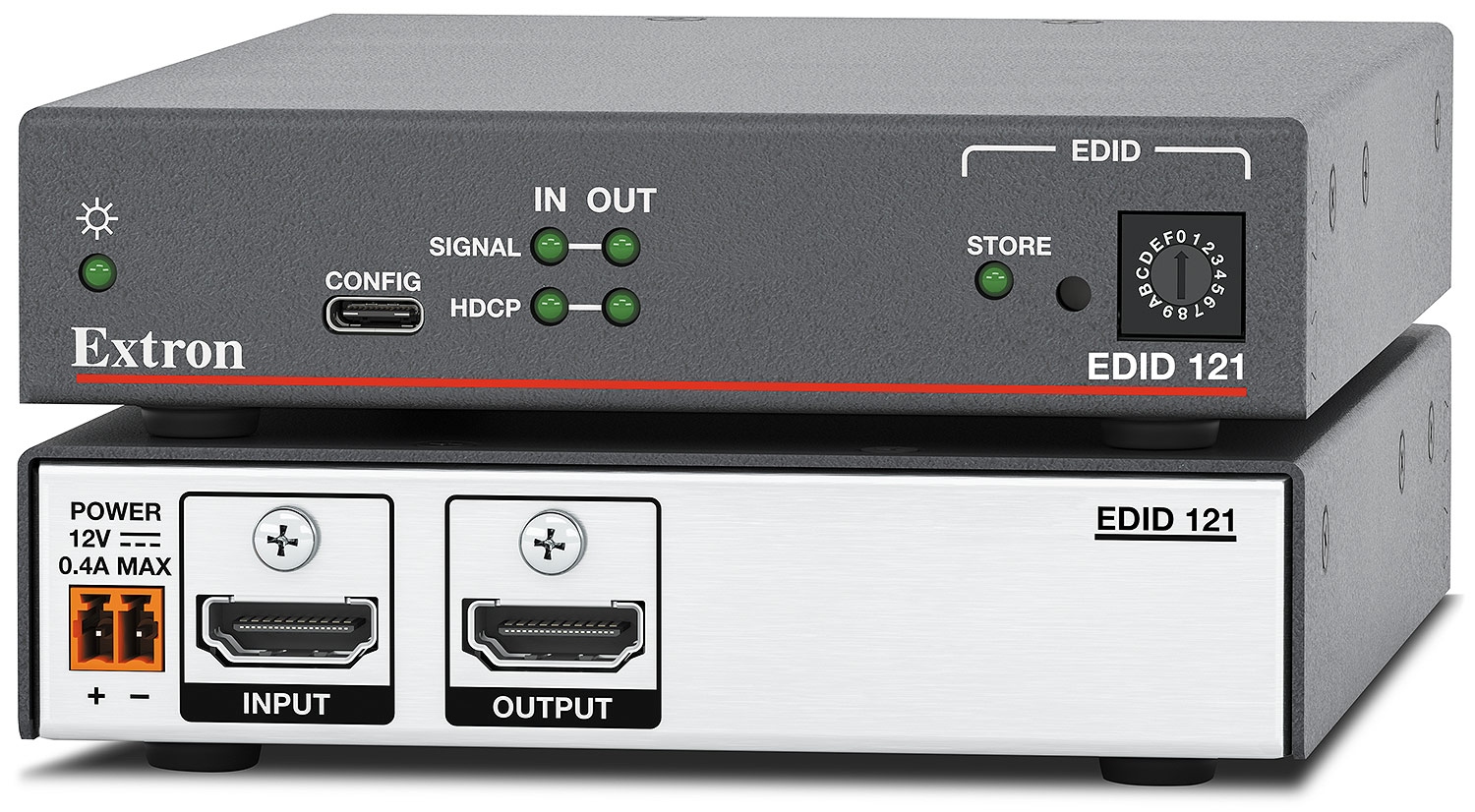
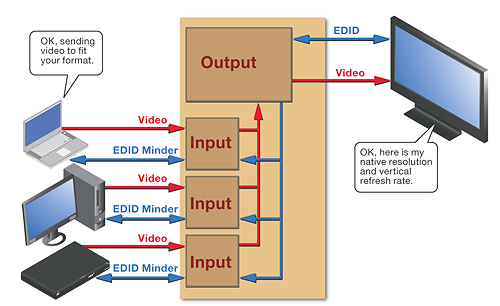
Extended Display Identification Data, or EDID, is the capability information a display or other sink presents upstream. It can describe supported timings, preferred resolution, audio formats, colour capabilities and other display characteristics. The source reads that information and chooses an output it believes the downstream system can accept. When EDID is absent, corrupted, delayed or inconsistent, the source may output nothing, choose an unsuitable format or change behaviour after a route is switched.
In a simple source-to-display connection, the display supplies EDID directly. In a commercial system, a switcher, scaler, distribution amplifier or extender may capture, merge, emulate or store EDID for the source. That managed approach can make operation more predictable, but only when the selected EDID matches every intended display and signal path. Save the approved EDID file or profile and document where it is applied.
Treat HDCP as a separate authentication question
High-bandwidth Digital Content Protection is used for protected audiovisual content. Digital Content Protection defines HDCP systems in terms of transmitters, receivers and repeaters. A source authenticates the downstream chain before encrypted content can be shown. A matrix, splitter, scaler or AV receiver can act as a repeater, so every relevant hop must support the required HDCP version and complete authentication correctly.
HDCP failure may appear as a black, muted or diagnostic screen, and it may affect protected media while an unprotected desktop still works. That distinction is valuable. Test both known unprotected content and authorised protected content rather than concluding that a successful desktop proves the whole path. Do not specify or use devices that remove content protection. Instead, confirm compliant endpoints, the required HDCP version, topology limits, firmware and the status reported at each hop.
Use a controlled EDID and format test
Begin with a conservative format that every device in the approved path is expected to support. If that works, increase resolution, refresh rate, colour depth, chroma format and HDR deliberately, one variable at a time. Read the actual input and output status from professional switchers, scalers or test tools. A laptop control panel alone may show what the computer requested, not what every downstream device is receiving.
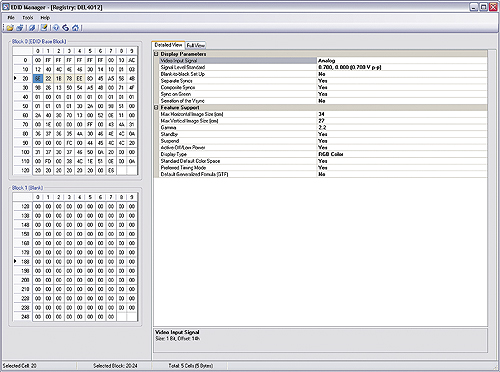
Where the system supports EDID management, compare the display's captured EDID with the approved project profile. Check the preferred timing and the advertised audio and colour capabilities. If a stored EDID restores reliable operation, identify why the live exchange failed before leaving the override in place. A fixed EDID is a design decision with consequences for future display replacement, not a universal cure.
Prove the cable and transport bandwidth
A cable can pass a lower-bandwidth format and fail when the source selects a higher one. Intermittent sparkles, dropouts or loss of picture after enabling higher refresh rates, deeper colour or HDR often point to limited signal margin, although the full chain must still be checked. Test the final installed path, including wall plates, patch leads, couplers, table interfaces, active optical cables and extenders. A short bench cable does not validate the building route.
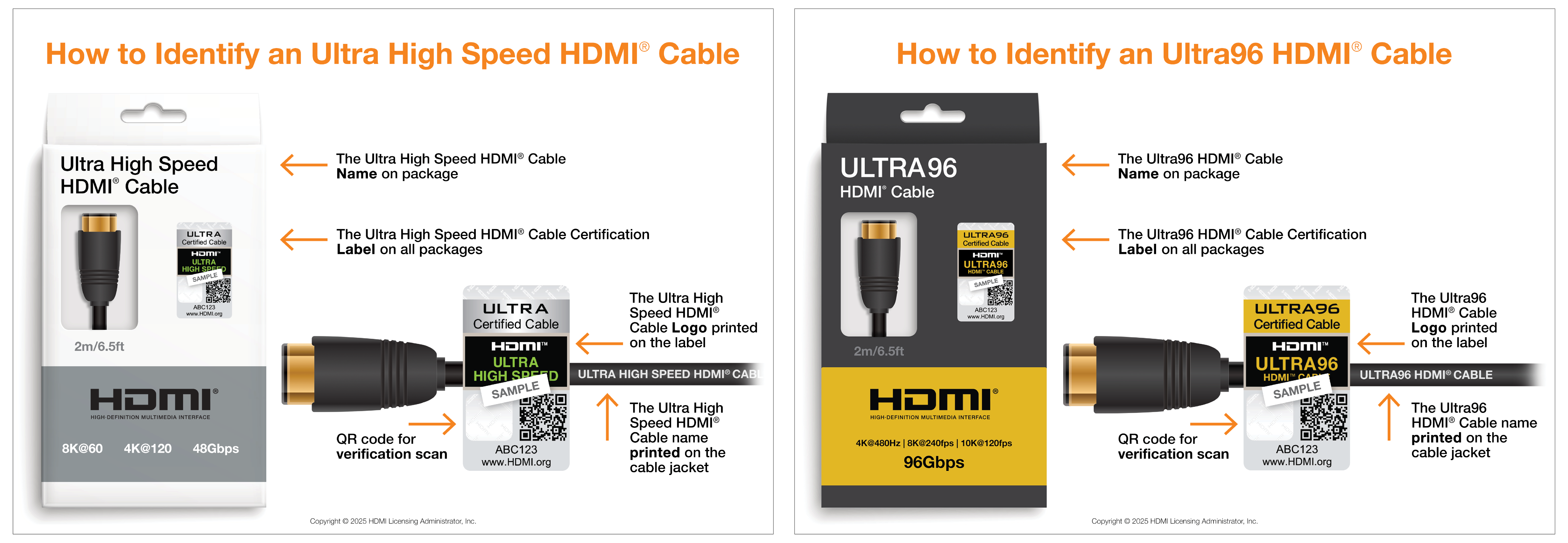
Use the official HDMI cable name that matches the required bandwidth and verify certification where the programme provides a label and QR check. HDMI Licensing Administrator currently describes Premium High Speed HDMI cables for up to 18 Gbps, Ultra High Speed HDMI cables for up to 48 Gbps, and Ultra96 HDMI cables for up to 96 Gbps under the HDMI 2.2 programme. Those ratings do not make every source, display or intermediary support the same features. The complete system must still be designed and tested for the target format.
Follow a repeatable isolation sequence
First confirm power, the active input and a known-good source. Then connect that source directly to the display with a short approved cable and record the working format. If the direct path fails, resolve the endpoint, content or cable issue before investigating the larger system. If it works, place one system component back in the path at a time and inspect signal, EDID and HDCP status after each change.
Avoid changing several settings together. A controlled sequence protects the evidence and makes the failing boundary visible. When a fault is intermittent, repeat the same switch, sleep, wake or reconnect event and record the time. Logs from managed AV devices can then be aligned with the observed failure instead of searched without a reference point.
- Verify source power, display input, content type and a conservative output format.
- Prove a direct source-to-display path with a short known-good cable.
- Read EDID, signal and HDCP status at each professional device.
- Add switchers, extenders, wall plates and long cables back one at a time.
- Repeat switching, sleep and wake tests while recording the exact failure time.
Commission every required operating state
A system is not accepted because one laptop displayed one slide. Test each approved source, input, display route and room mode at the agreed format. Include unprotected presentation content and authorised protected content where the business workflow requires it. Verify audio, embedded-audio extraction, switching time, cable reconnection, display power cycles, source restart, sleep and wake, and recovery after the matrix or extender restarts.
Use the commercial AV commissioning checklist for China to place HDMI results inside the wider system test plan. Record the expected result, observed result, device status and evidence for every case. If a workaround is necessary, document its scope and obtain acceptance rather than hiding it as an unexplained setting.
Hand over a supportable HDMI baseline
The handover should include a signal-flow drawing, exact source and display inputs, cable manufacturers, models and lengths, extender links, approved video formats, stored EDID profiles, firmware versions, HDCP expectations and screenshots or exports of known-good status. Label directional or active cables at both ends and identify service loops and replaceable patch leads. Keep a tested spare for any cable or adapter whose failure would stop the room.
Also provide a one-page isolation procedure that local support staff can follow without redesigning the system. The meeting-room AV acceptance and handover checklist explains how to turn test evidence, operating instructions and responsibility records into a durable support baseline. Any later change to the display, source, cable, firmware or EDID should trigger a focused retest of the affected path.